
You can export scenes from Postshot in several formats supported by third-party applications.
Exporting to the HTML format enables scenes to be opened using a standard web browser. The PLY format provides a lossless representation of the scene. The SPZ format uses lossy compression to reduce the file size.
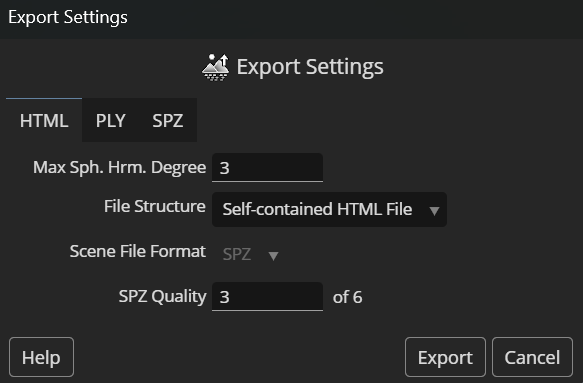
Export to HTML format allows you to open the scene in a web browser. Depending on the 'File Structure' setting, the file can be opened directly from the local file system or require a web server to host it.
This setting allows reducing the exported file size by omitting higher-degree spherical harmonics coefficients. The file size will be smallest when this setting is set to zero and largest when set to three.
See Training Configuration (Advanced) for more details about the spherical harmonics coefficients.
Self-contained HTML File: the scene will be exported to a single HTML file that can be opened in a web browser from the local file system. However, the file size will be about 33% larger than with the 'Separate Scene File' structure.
Separate Scene File: two files will be generated - an HTML file and a separate scene file in the format selected below. In order to load the HTML file in a web browser, it must be hosted by a web server.
If the 'Separate Scene File' structure is selected, you can choose the format for the scene file here. The PLY format is lossless, whereas the SPZ format uses lossy compression to reduce the file size.
If 'SPZ' is selected in the 'Scene File Format' option, this setting controls the trade-off between quality and file size. A value of one will most significantly reduce both the file size and qualilty. A value of six, on the other hand, will reduce the file size and quality the least.
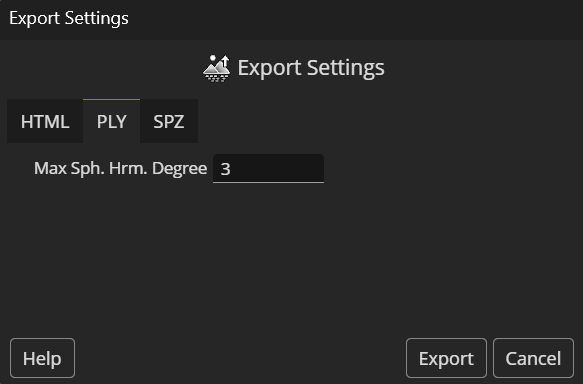
The PLY format is the most widely supported among software that supports 3D Gaussian Splatting directly. It fully retains the scene quality at the cost of relative a large file size.
Please note that the PLY files exported from Postshot contain special 3D Gaussian Splatting (3DGS) data. The PLY file format is also traditionally used to store point clouds or polygon meshes. Software that does not explicitly support 3DGS data will not be able to open files exported by Postshot.
This setting allows reducing the exported file size by omitting higher-degree spherical harmonics coefficients. The file size will be smallest when this setting is set to zero and largest when set to three.
See Training Configuration (Advanced) for more details about the spherical harmonics coefficients.
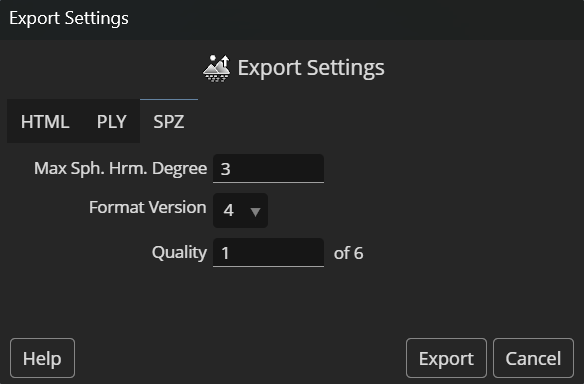
The SPZ file format uses lossy compression, which can reduce file size by up to 90%.
This setting allows reducing the exported file size by omitting higher-degree spherical harmonics coefficients. The file size will be smallest when this setting is set to zero and largest when set to three.
See Training Configuration (Advanced) for more details about the spherical harmonics coefficients.
The latest version 4 of the SPZ format is recommended as a default. Saving files in this format version will be faster than in older versions.
However, some third-party software may not yet support version 4. If you need the exported files to open in such software, you can revert to version 3.
This setting controls the trade-off between quality and file size. A value of one will most significantly reduce both the file size and qualilty. A value of six, on the other hand, will reduce the file size and quality the least.



support@jawset.com · sales@jawset.com
Imprint · Terms and Conditions · Privacy Policy
© 2026 Jawset Visual Computing